# Coupon Center
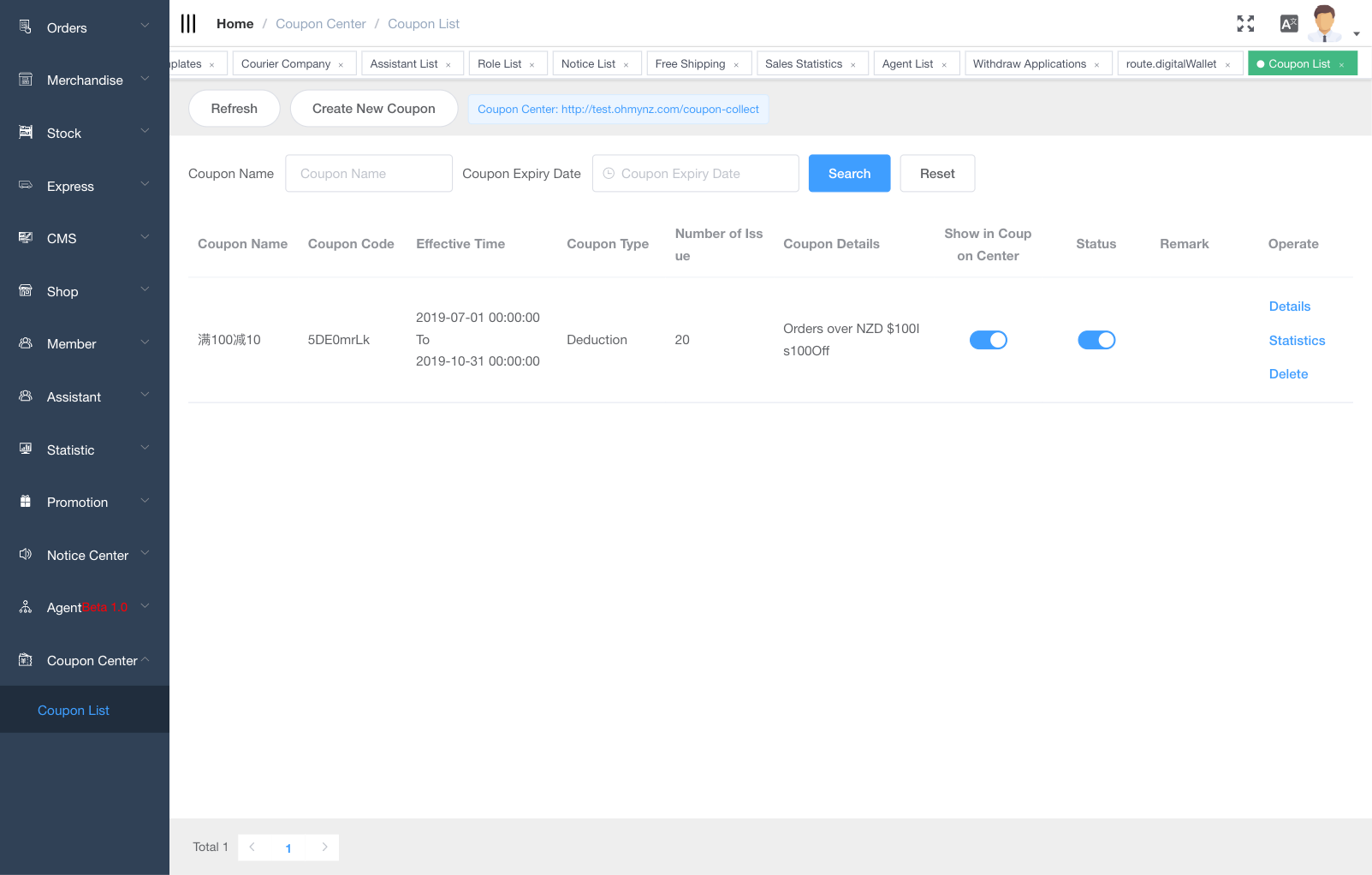
You can offer your customers a fixed value, percentage discount on products in your store by creating coupons.
You can also specify the dates for which the code is valid, the number of times a code can be used, a minimum order amount before the code can be used. and to which product this code can be applied.
# Coupon list
# Create coupon
TIP
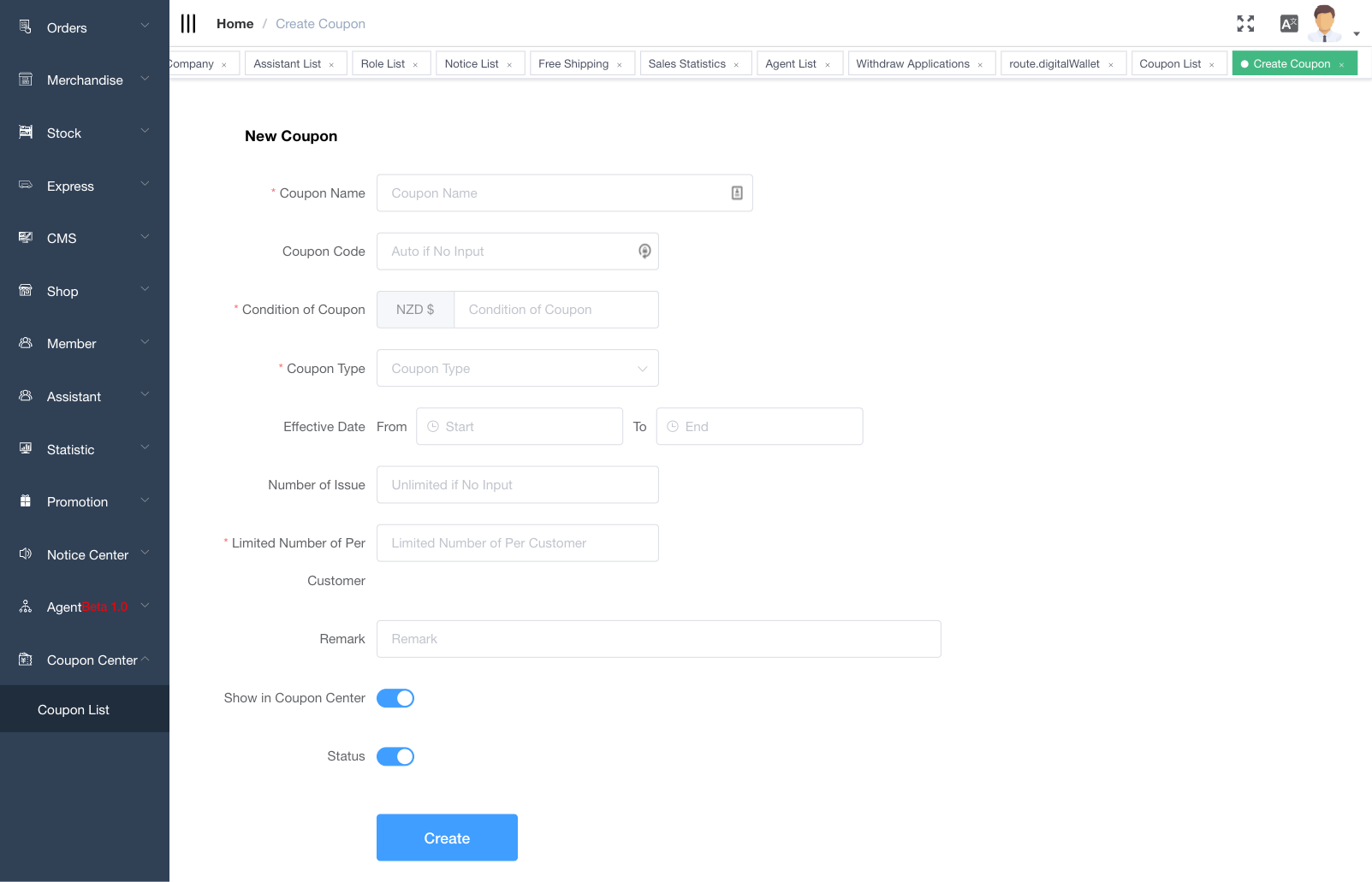
There are two types of coupon: 1. Deduction(deduct fixed value). 2.Discount(Percentage off).
You can specify the coupon code or leave it blank for random codes.
Coupon effective date cannot be change once created.
You can specify coupon quantity.
You can specify maxmimum quantity a user can colllect for each coupon.
# Coupon analytics
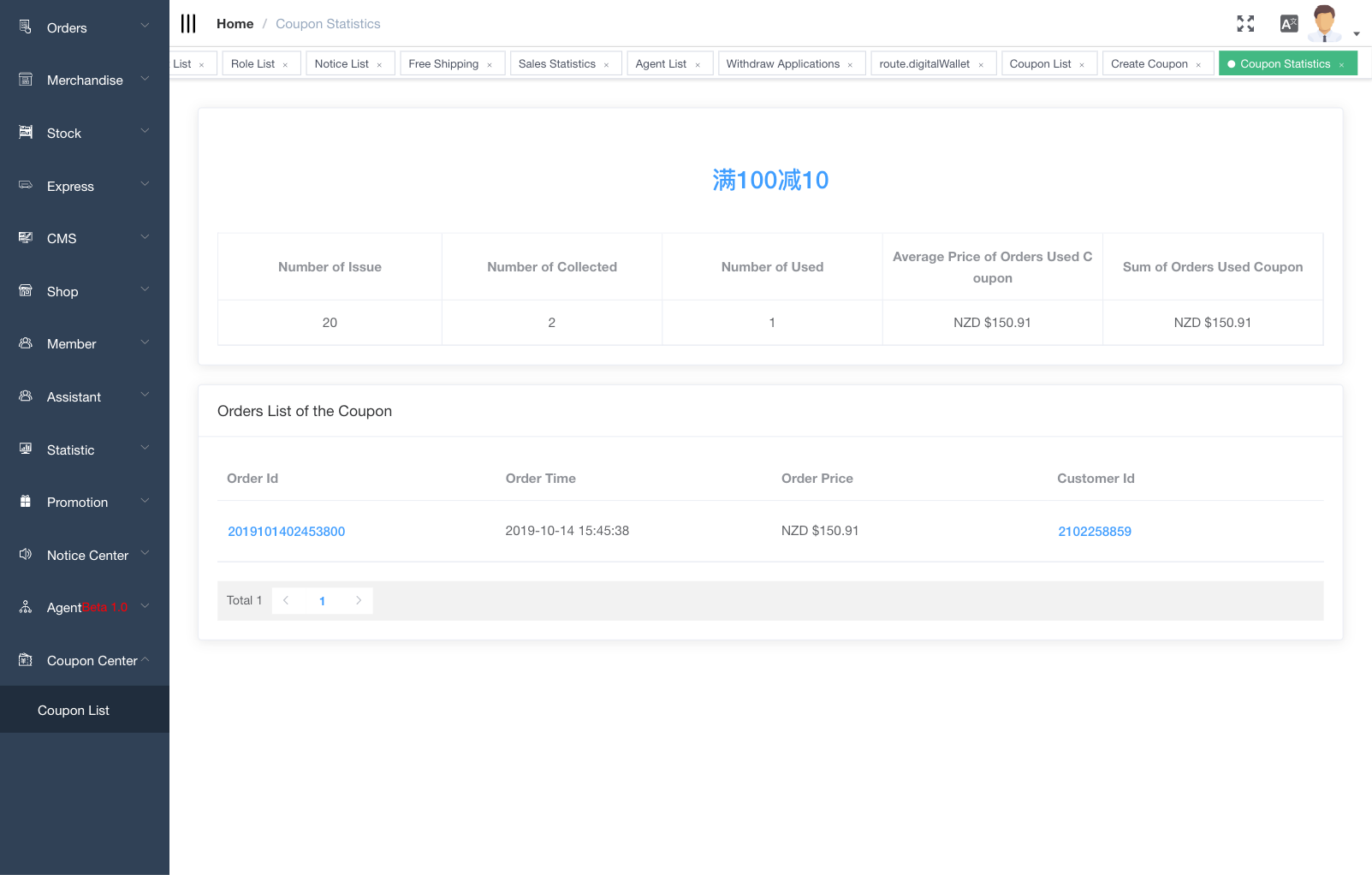
After your coupon codes are set up, you can track & analyse coupon from the 'statistics'.
# Display coupon
From the coupon detail page, enable 'show in coupon center' to display your coupon to end user.
# Assign coupon to user
- Disable 'show in coupon center'
- Copy & send coupon code to end user so they can redeem coupon in store front.
# How to use coupon
During the check out step. select the coupon you want to use. discount will be applied automatically to your order.
# Disable coupon on products
By default, coupon applies to all product. However, you can specify which product is exclude from the coupon discount by editing product detail.
TIP
For help, please contact ieShop customer representative
Email: cs@miepay.com Phone: +64(9)600-6545